
An HD free TV antenna is a passive over-the-air receiver that pulls broadcast signals from local TV towers and feeds them into your television, no monthly bill required. If you’ve watched any late-night cable or YouTube preroll lately, you’ve probably caught the hd free antenna infomercial pitch: a tiny indoor panel that promises 50-plus crystal-clear channels for one flat payment. The hardware is real and the savings are real, but the marketing oversells what physics actually delivers in your living room. Here’s the honest 2026 breakdown.
The history of the HD antenna infomercial
Antennas aren’t new. The TV antenna predates the moon landing. What’s new is the marketing wrapper around them, and that wrapper got rebuilt twice in the last fifteen years.
The first turning point came on June 12, 2009. That’s the day the United States cut off full-power analog TV broadcasts and forced every station to transmit a digital signal under the ATSC 1.0 standard. Old rabbit-ear setups went dark overnight unless paired with a converter box. Suddenly, every household needed either new hardware or a new way to think about reception, and direct-response TV brands jumped on the gap.
Through the early 2010s, cord-cutting picked up steam. Cable bills crept past 100 dollars a month while Netflix and Hulu trained viewers to expect on-demand content. Buyers started asking a simple question: do I really need cable for local news, sports, and prime-time network shows? The answer was no, and the over-the-air category got a second life.
That’s when the modern infomercial era began. Antennas Direct launched the ClearStream line. Mohu released the Leaf in 2011, the famous paper-thin indoor panel that helped redefine the indoor category. Direct-response brands like Clear TV and SkyLink followed with budget dipoles sold under aggressive “as seen on TV” branding. Antop, RCA, GE, and Winegard rounded out the field with both indoor and outdoor models.
Fast-forward to 2026. The pitch has been refreshed for the ATSC 3.0 era, also branded NextGenTV. The new standard layers 4K resolution, HDR color, and Dolby Atmos audio onto over-the-air broadcasts in markets where stations have flipped the switch. Today’s spots tend to layer “NextGenTV-ready” claims on top of the old “watch local channels for life” promise, which makes a fresh look at the category worth your time before you click buy.
What HD antenna infomercials actually sell
Strip away the music and the stock footage of a smiling family on a couch, and these spots are pitching three categories of hardware.
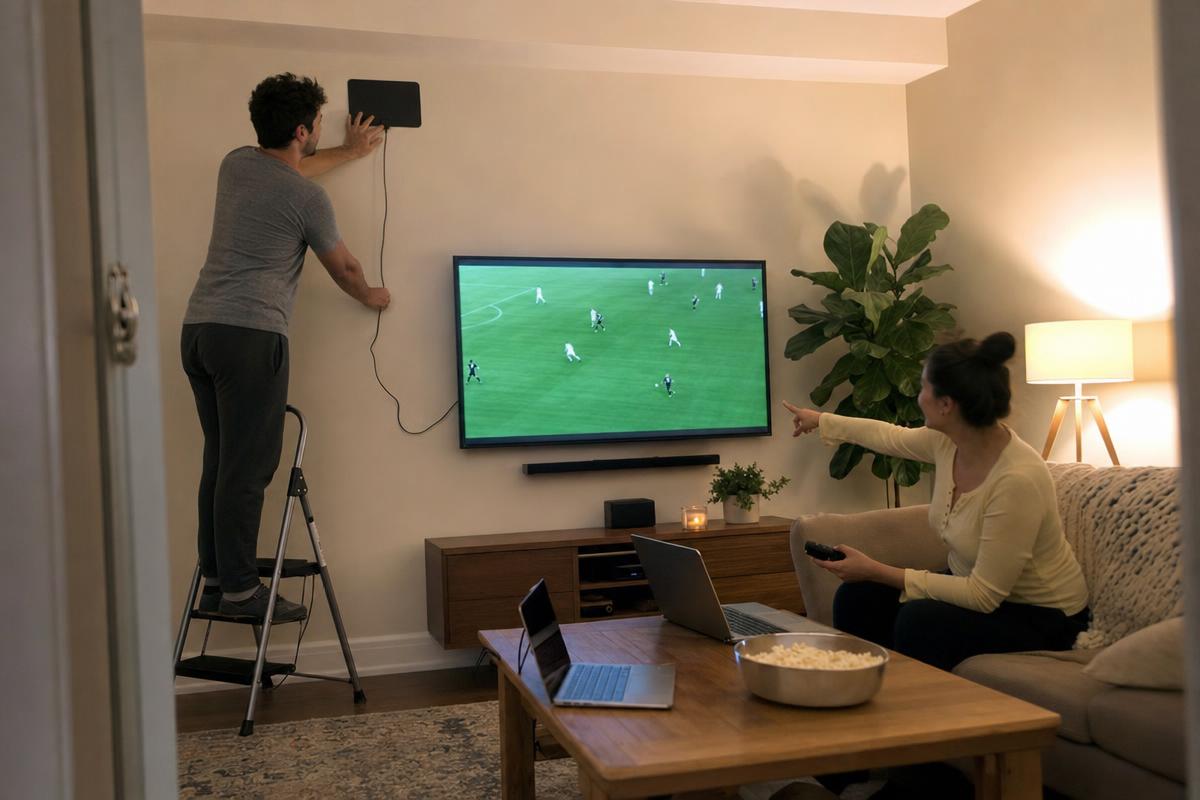
Indoor flat panels. The Mohu Leaf, ClearStream Eclipse, Antop AT-127B, and RCA ANT3ME are the headliners. They’re roughly the size of a placemat, peel-and-stick mountable on a wall or window, and tuned to grab UHF and high-band VHF signals from towers within 30 to 50 miles in ideal conditions. Most run on the white side or black side, so you can flip them to match your wall.
Outdoor and attic models. The ClearStream MAX-V, Winegard Elite, and Antennas Direct DB8e move outside or into your attic and gain serious range. Mounted on a roof or eave with a clear line of sight, they can pull stable signals from 60-plus miles away. They cost more, install is harder, and you may need a mast or a J-pole, but reception jumps in a real way.
Powered models. Some panels include a small inline amplifier that boosts weak incoming signals. Amplification helps when towers are far and the cable run is long. It hurts when you’re already in a strong signal area; the booster overloads the tuner and you get pixelation or dropouts. Pick passive in metro cores, powered in suburbs and rural zones.
About the word “HD” itself: it’s marketing, not a hardware spec. Every full-power broadcast in the United States has been digital since 2009. The current standard is ATSC 1.0, and the rolling rollout of ATSC 3.0 is what enables 4K and HDR on supporting TVs. Any antenna sold in the last decade can pick up either standard. The “HD” label on the box exists because shoppers expect to see it, not because the antenna does anything special.
| Antenna type | Range | Best for | Typical price | Pros / cons |
|---|---|---|---|---|
| Indoor flat panel | 15-40 mi | Apartments, condos near metros | $20-$60 | Cheap, easy install / range limited, wall material matters |
| Indoor amplified | 30-60 mi | Suburban homes, mid-distance towers | $40-$90 | Better in fringe zones / can overload close to towers |
| Attic mounted | 40-70 mi | Owners who can’t roof-mount | $60-$120 | Hidden, weatherproof / roof material costs you signal |
| Outdoor / roof | 60-100 mi | Rural and exurban homes | $80-$200 | Best reception / install effort, weather exposure |
| “Clear TV” dipole | 10-25 mi | Renters in line of sight | $10-$30 | Cheapest entry / often overpriced for what it is |
HD antenna reviews: what users praise
The positive reviews keep showing up for one big reason. After the one-time hardware cost, your monthly bill is zero. Forever. There’s no subscription, no autorenewal, no contract clause, and no surprise rate hike in month thirteen. For households that mostly watch local news, network primetime, NFL Sunday games on CBS or FOX, and PBS, an over-the-air setup pays for itself inside the first month.
Picture quality is the second pleasant surprise. Cable and satellite providers compress channels hard to fit more streams into the same pipe. A roof or attic-mounted setup pulling the broadcaster’s native ATSC signal often delivers a sharper, less artifact-prone image than the same channel on a cable box. Sports look noticeably better; fast pans don’t smear.
Installation gets praise too. Indoor panels really do peel-and-stick onto a window or wall in under five minutes. Plug the coax into the back of any modern TV, run the auto-scan in your TV’s menu, and you’re done. No technician, no router, no app account, no firmware update.
And for households with a NextGenTV-capable television or external tuner, ATSC 3.0 unlocks 4K HDR broadcasts in cities that have flipped the switch. No data cap, no streaming buffer wheel, no buffering during a thunderstorm because your ISP is overloaded. It’s just signal in, picture out.
HD antenna reviews: common complaints
The complaints cluster into a few predictable buckets, and most of them trace back to one root cause: the marketing promises a result that physics can’t guarantee at every address.
The “50-plus channels” claim almost never lands. The number on the box reflects what’s theoretically reachable in an open field with a perfect line of sight to every nearby tower. Real homes have walls, roofs, neighbors, and hills in the way. Most buyers in the suburbs pull 15 to 30 channels. Rural buyers often see fewer than 10. The actual count depends on where you live, not what brand you bought.
Indoor units choke past 30 to 40 miles. Brick exterior walls eat signal. Metal roofs eat signal. Stucco with chicken-wire backing eats signal. If your towers are 50 miles out and you’re in an interior room of a brick ranch, no thin indoor panel is going to save you. You need attic or roof placement.
Apartment dwellers without a window get burned. If your unit faces away from the broadcast cluster or your only window points at another building, the signal can’t bend around obstacles. Reviews from inland apartments are rougher than reviews from south-facing high-rises near downtown towers.
Weather and tower position matter more than the spec sheet admits. Heavy rain, snow loading on a rooftop unit, and ice on the coax line all degrade reception. Even tower maintenance days drop channels temporarily.
Budget “Clear TV” style units repackage basic dipoles. Some “as seen on TV” units are functional, but you’re often paying $30 for a $7 part. Mainstream brands like Mohu, Antop, and Antennas Direct test better in apples-to-apples comparisons.
Amplifiers can hurt strong-signal areas. If you live within 10 miles of the broadcast cluster, a powered booster can overload your TV tuner and cause more dropouts than going passive. Match the gear to the distance.
Is an HD free antenna worth buying?
Honest answer: it depends on three things, and you can check all of them in 10 minutes before you spend a dollar.
First, distance. If you’re within 30 miles of a metro broadcast cluster and you have a window or attic facing the towers, an indoor panel from Mohu, Antop, or ClearStream is almost guaranteed to pay off fast. You’ll get the local Big Four networks plus PBS, plus a stack of subchannels carrying classic TV, weather, and Spanish-language programming.
Second, building material. Brick, stucco, and metal-roof construction cut indoor reception hard. If that’s your home, budget for an attic or roof unit instead of grabbing the cheapest paddle.
Third, your goals. If you want every cable network, an antenna won’t replace your subscription; you’ll still need a streaming service for ESPN, FX, or HBO. If you mainly want news, network shows, and live sports on CBS, NBC, ABC, and FOX, an antenna covers the gap completely.
Before you buy, run your address through the FCC’s broadcast channel finder or AntennaWeb to see exactly which towers reach you, what direction to aim, and what realistic channel count to expect. That single step turns the hd free antenna infomercial pitch from a leap of faith into a confident purchase. If you also want future-proofing, pair the antenna with a NextGenTV-capable TV or an external ATSC 3.0 tuner so you’re ready for the 4K HDR rollout in your market.
Frequently asked questions
Are HD antennas really free?
The hardware isn’t, but the channels are. You pay once for the antenna, usually $20 to $200 depending on type, and after that the local broadcasts cost nothing. There’s no monthly bill, no contract, and no account login.
How many channels will I get with an HD antenna?
It depends on your address, not the brand. Metro homes typically pull 25 to 60 channels including subchannels. Suburban homes see 15 to 35. Rural homes often see fewer than 10. Run your zip code through the FCC’s channel finder for a real estimate.
What’s the best HD antenna for cord-cutters?
For most apartments, the Mohu Leaf or ClearStream Eclipse work well. For suburban houses, an Antop or amplified ClearStream paddle does better. For rural homes, an outdoor Winegard Elite or Antennas Direct DB8e mounted on the roof is the right call.
Do I need an amplifier with my HD antenna?
Only if towers are 30-plus miles away or your coax run is long. Inside 10 miles of the broadcast cluster, an amplifier can overload the tuner and cause more dropouts. Try passive first.
What is ATSC 3.0 / NextGenTV?
ATSC 3.0 is the next-generation broadcast standard rolling out across US markets through 2026. It supports 4K resolution, HDR color, Dolby Atmos audio, and interactive features. You need a compatible TV or external tuner to receive it.
Will an HD antenna work in an apartment?
Often yes, especially if your unit has a window facing the broadcast towers. Inland units with no window line of sight to the tower cluster get weaker results. A flat panel stuck on the window glass is the standard approach.
Are Clear TV, SkyLink, and Mohu antennas legitimate?
The hardware works. They all receive over-the-air signals like any antenna. Mohu, Antop, ClearStream, and Winegard tend to test better in side-by-side reviews than budget “as seen on TV” dipoles, which sometimes mark up basic parts at premium prices.
Where to learn more
Channel availability is location-specific, so the most useful next step is checking your exact address. Run it through the FCC’s official broadcast channel finder to see which towers reach you, the bearing to point your antenna, and a realistic estimate of how many channels you’ll receive before you spend a dollar on hardware.